

VPI Core
Create and manage workspaces, store data, and set up OPC connections.
Lay down a solid base for all of your projects across VPI applications.
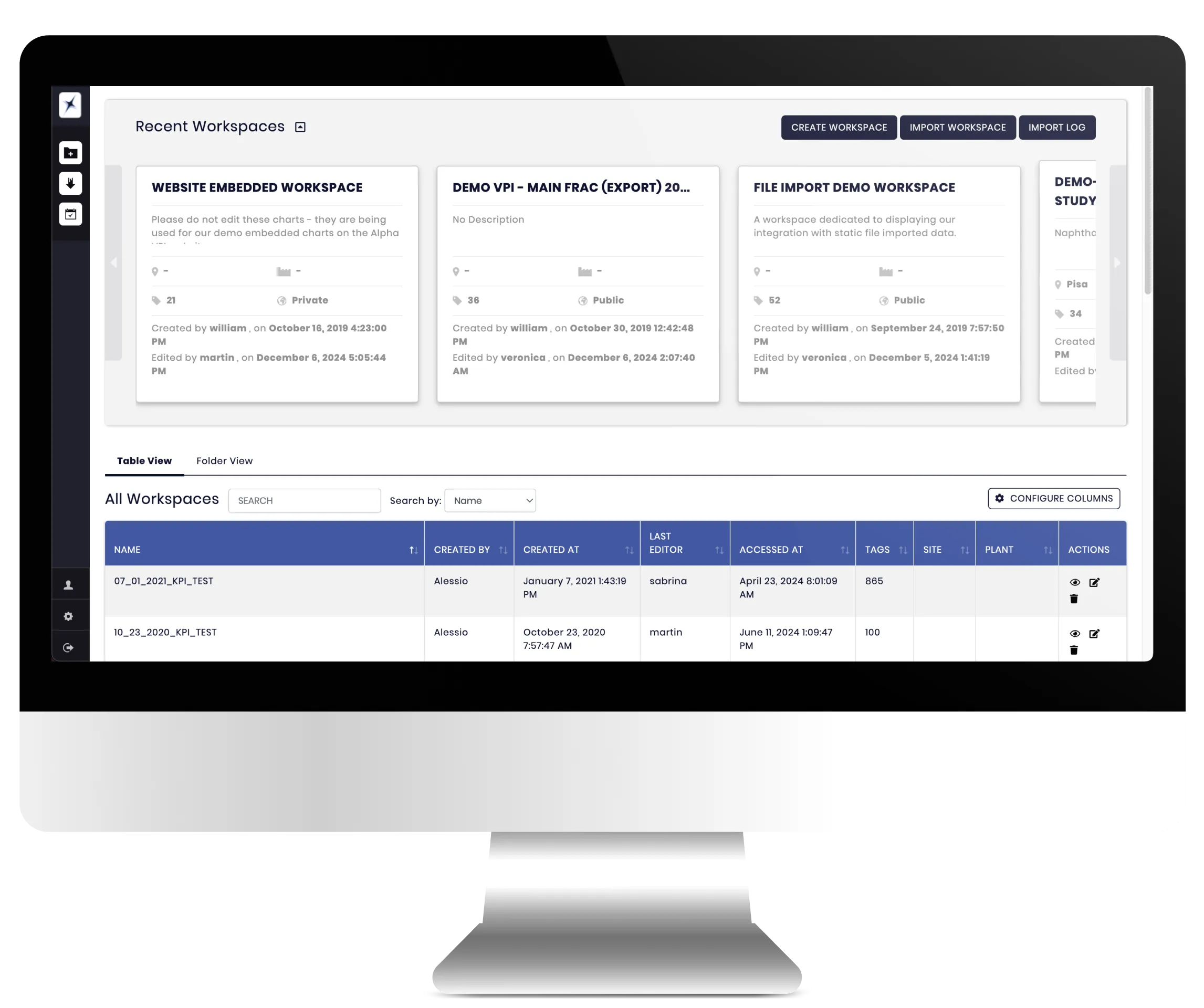
Store and manage data
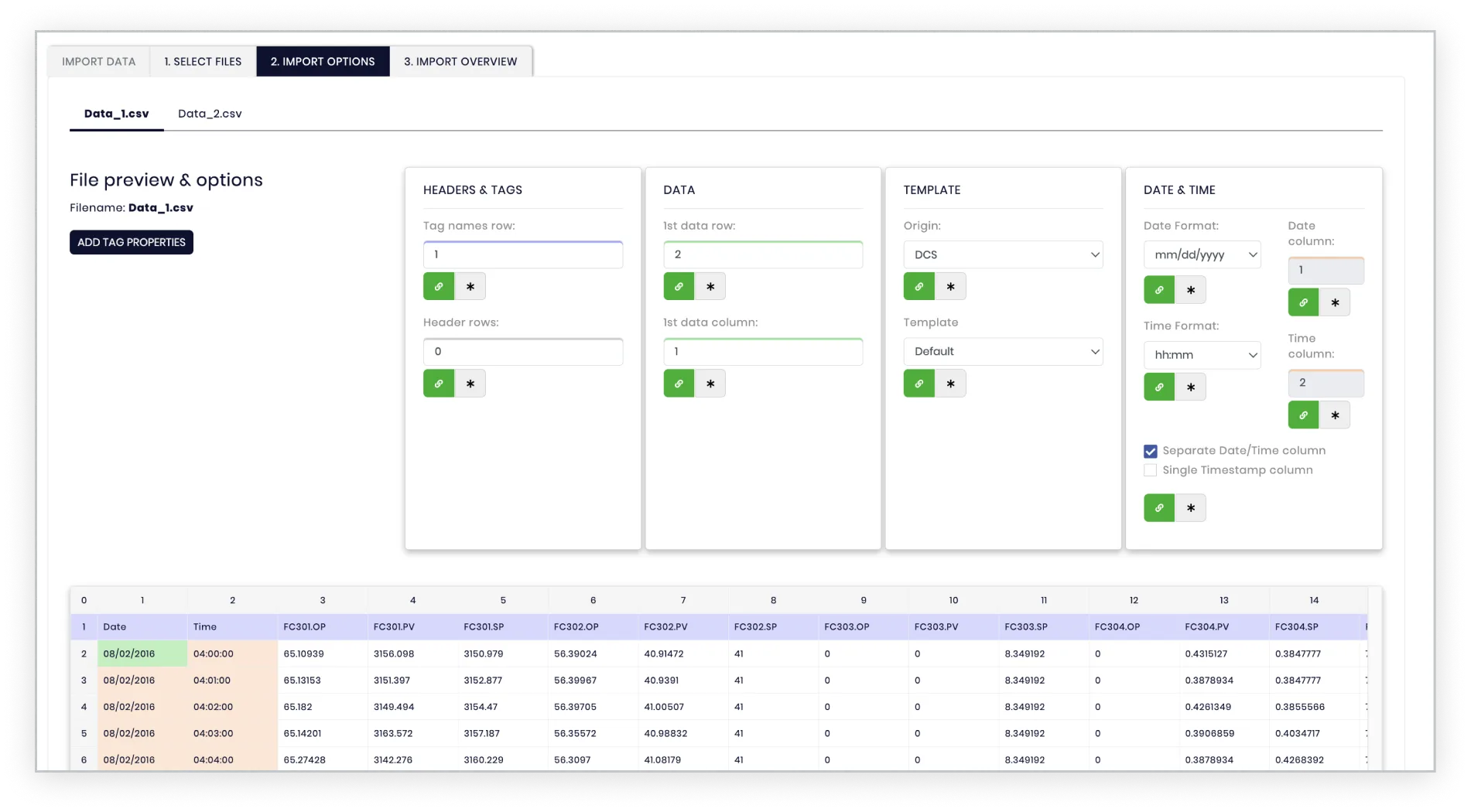 Import .csv files of your tags and format the template to better visualise your data .
 Share datasets among VPI applications
Data import is available for different kinds of files:

Files with process data (continuous timestamps)
Files with laboratory samples (discontinuous timestamps)
Once data has been added to VPI Core, you’ll be able to use it across all VPI applications for data treatment and data analysis.
Store and manage data
Import .csv files of your tags and format the template to better visualise your data . Intuitive Data Tree
Organise your data in a hierarchical structure to ease discoverability.
Tags can be categorised as:
APC
CALC
DCS
LAB
This structure will also allow you to group tags further into nodes where related tags will be nested together.
Hierarchical structure
Tags are automatically organised in the data tree after you import your files.Write your own equations
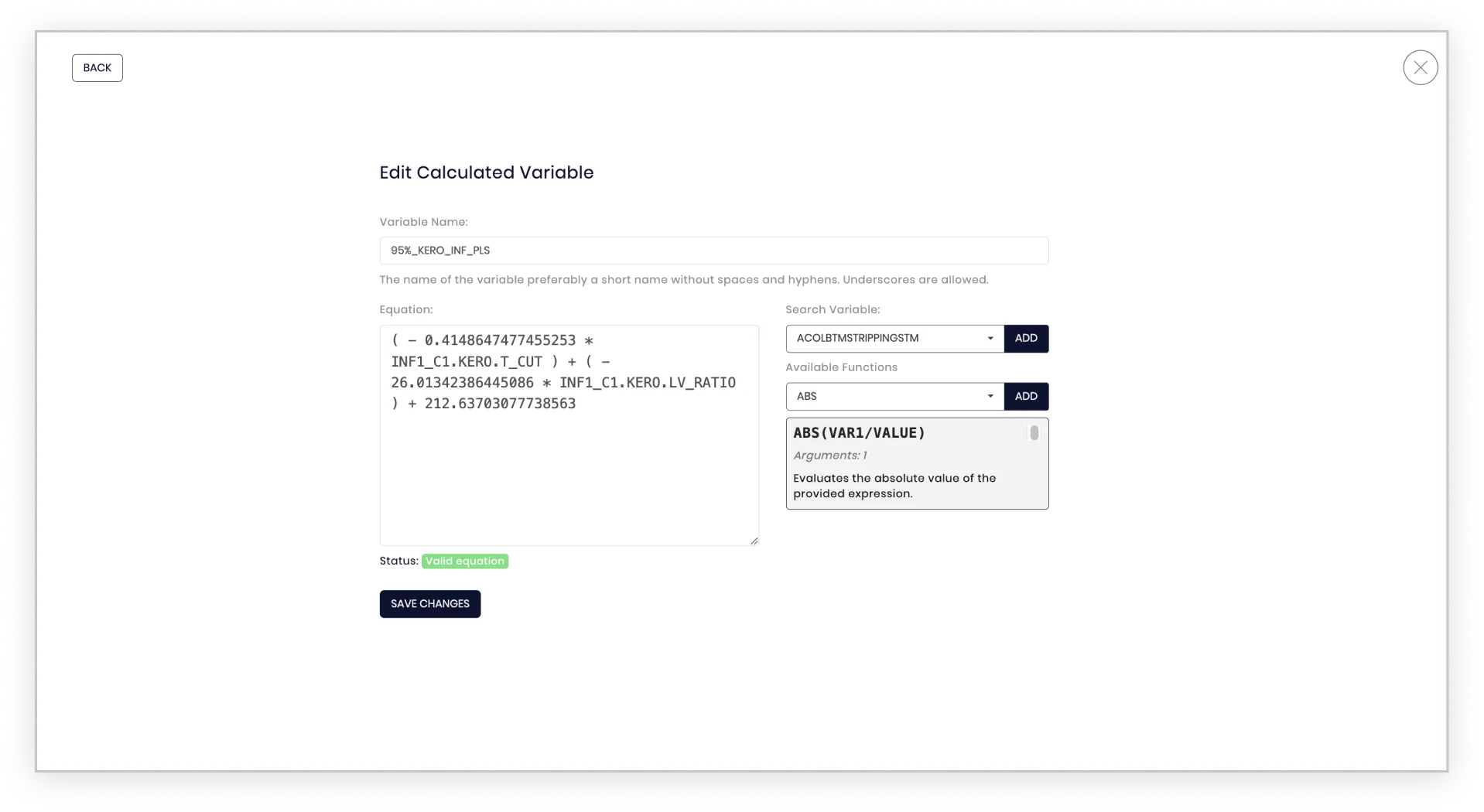 Write equations using variables and functions to create custom calculated variables to add to the data tree and use in your analysis.
 Calculated variables
Our product introduces a dynamic Calculated Variables feature, empowering users to create custom formulas and automate complex computations effortlessly. Whether you need to sum up sales, calculate percentages, or generate performance metrics, this tool adapts seamlessly to your needs. With an intuitive interface and robust formula-building capabilities, it simplifies data-driven workflows, reducing manual effort and enhancing accuracy. Tailor your calculations with conditional logic and real-time updates, ensuring your data always aligns with your goals.
Write your own equations
Write equations using variables and functions to create custom calculated variables to add to the data tree and use in your analysis.